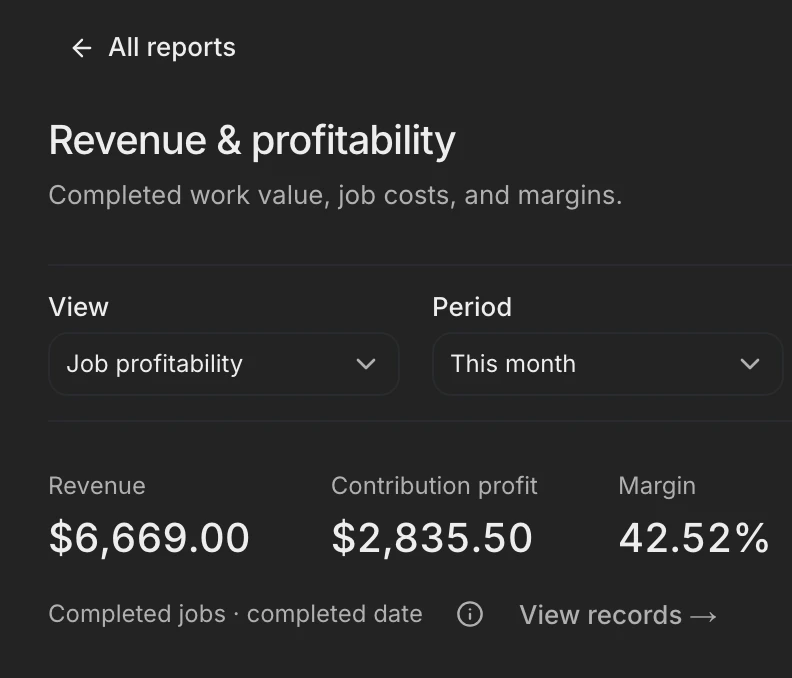
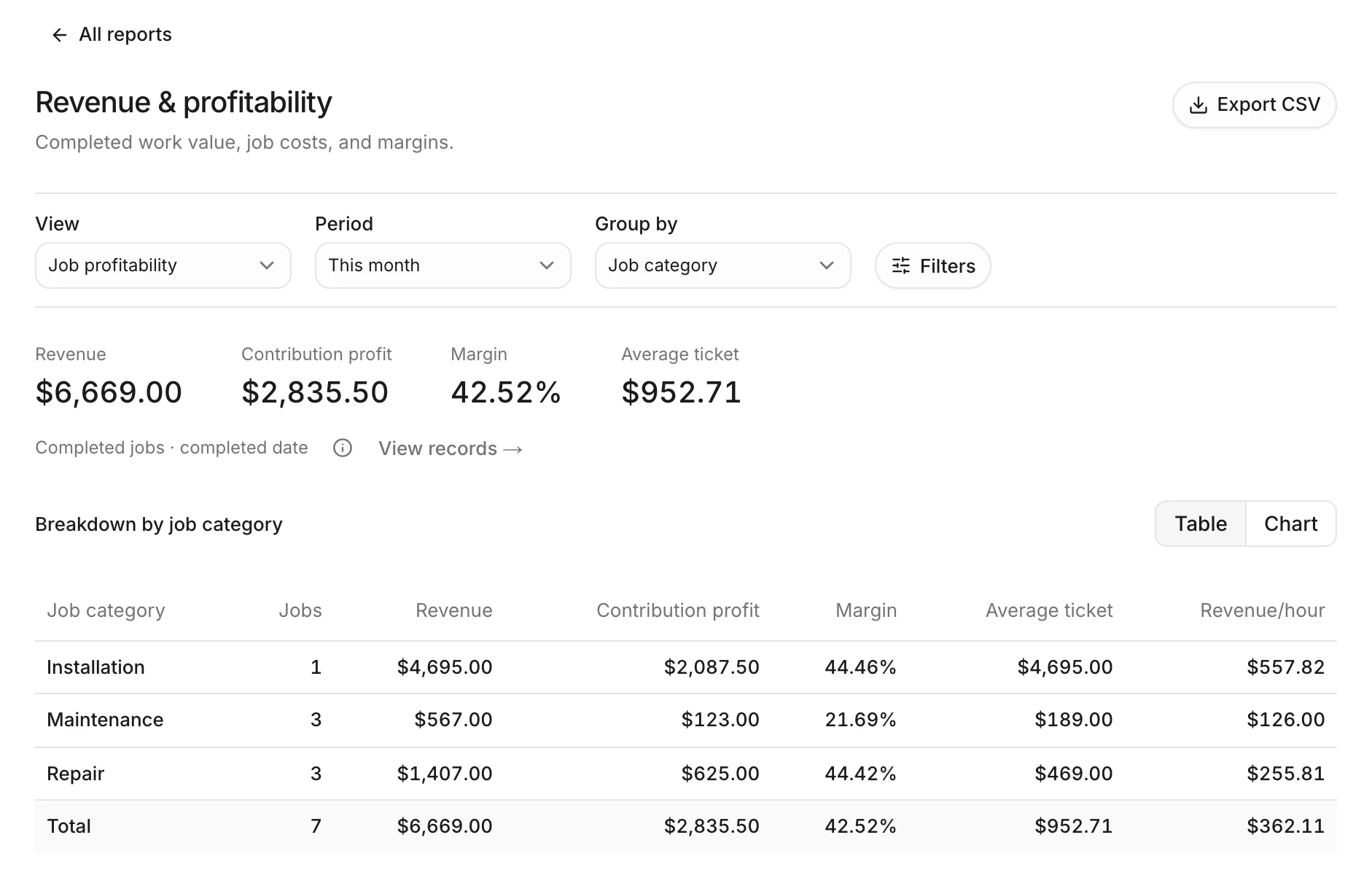
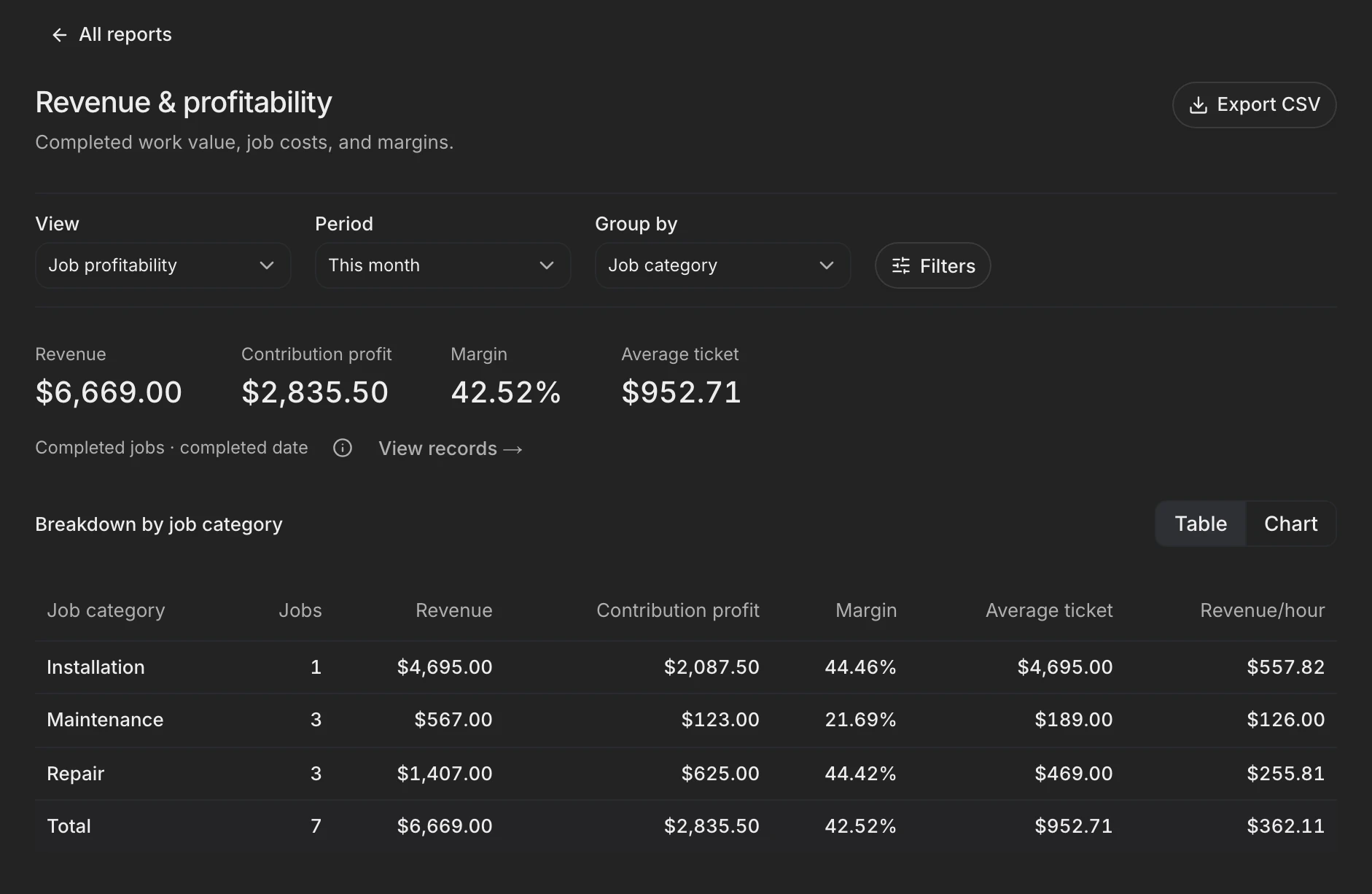
See what each kind of work earns
Compare revenue, profit, and margin for completed jobs. Profit subtracts each job's direct costs, such as labor and materials, and leaves out company overhead.
See expected and actual job costingReports cover revenue and profit, estimates, payments, technicians, maintenance plans, customers, and daily operations. Choose a period, compare the work you care about, and open the records behind any figure.
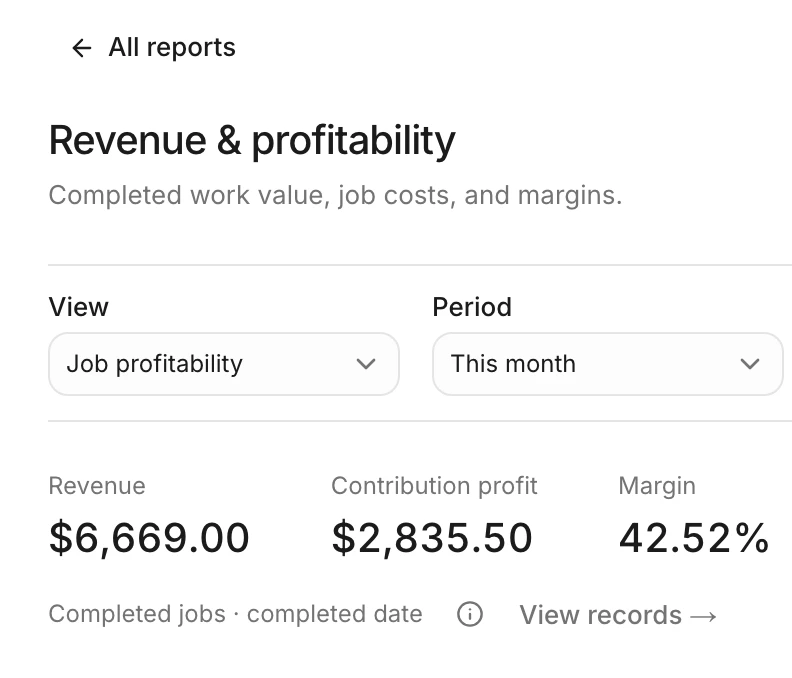
Compare revenue, profit, and margin for completed jobs. Profit subtracts each job's direct costs, such as labor and materials, and leaves out company overhead.
See expected and actual job costingReview estimates and approvals separately from invoices, payments, and open balances. A sold job and a collected payment answer different questions.
Choose the dates, filters, and grouping you need. Switch between charts and tables, open the underlying records, or export a CSV for a closer look.
Compare each technician's completed revenue, profit, and workload. Hours come from when each technician starts and finishes the work, not from the schedule.
See time tracking & timesheetsHow it works in detail: Reports and job profit.